Modifying the installation
Maintenance covers uninstalling, modifying, or repairing the installed programs.
Important information before modifying
- Removing PcVue or the Web Deployment Tools does not remove the prerequisites.
- Maintaining PcVue does not affect configured projects. As a precaution, back up any project and library you want to keep before maintenance.
- Shared libraries are updated over time. The uninstall process removes shared libraries and library files or folders created by installation, even if changed. If your project uses shared libraries, back them up before uninstalling, even if you plan to reinstall the same version.
How to start modification
Maintenance can be started in one of two ways:
- Use the original installation media.
- Use Modify or Repair from Apps & features or Programs and Features in Windows Control Panel.
After a Welcome dialog, the Program Maintenance dialog appears.
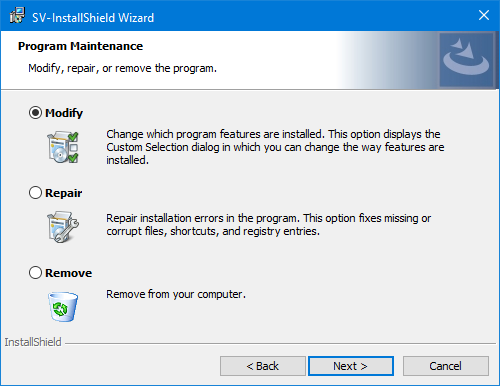
Modification process
- Select Modify.
- Follow the sequence of dialogs to carry out the process.
note
Modify is not available for the Web Deployment Tools because there are no optional features.